In this blog

Need a design partner that scales with you?
See exactly how Design Shifu can become your on-demand design team. Book a free demo call.
What Is a Brand Brief Template?
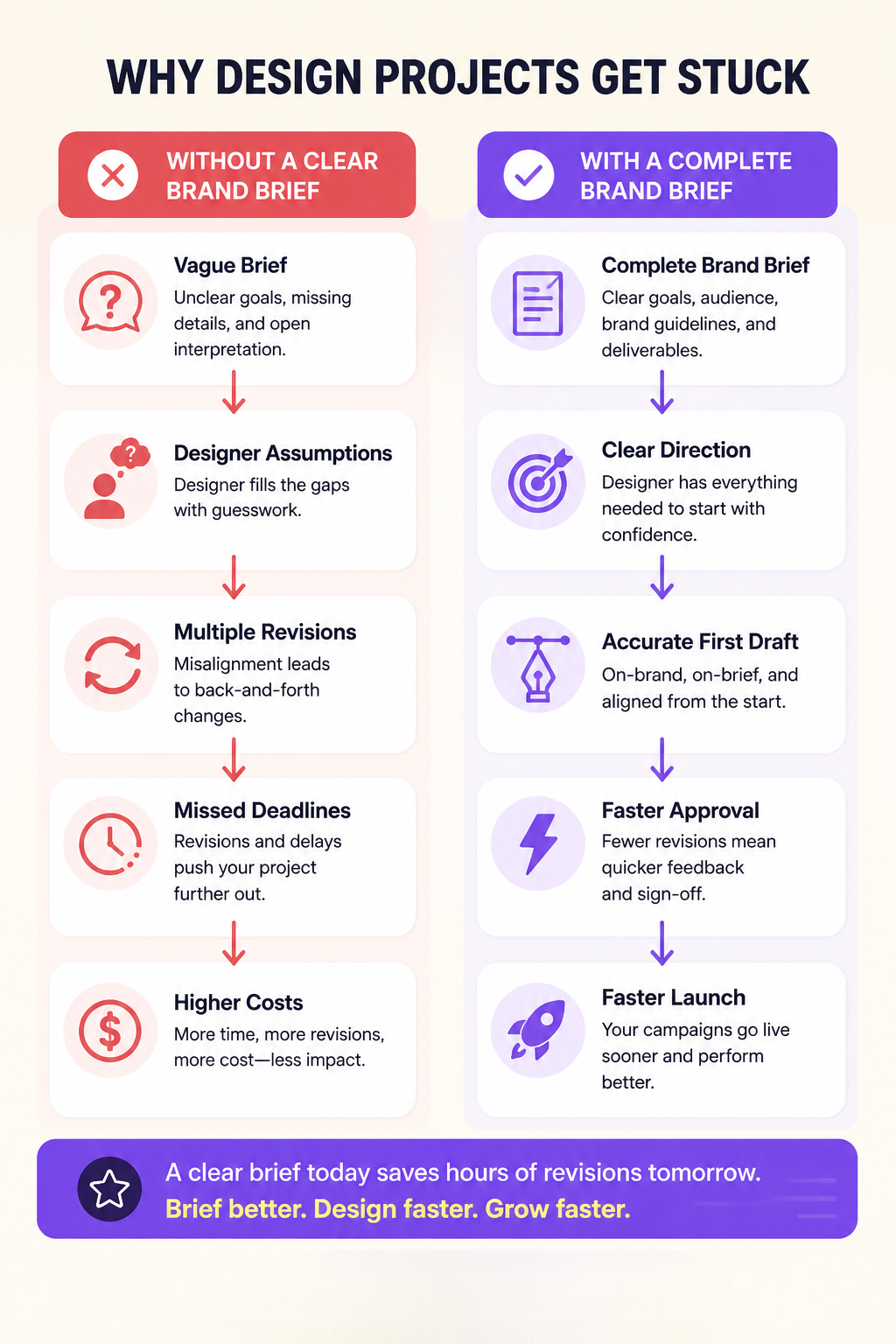
Most design revision cycles are not a designer problem. They are a brief problem. Every assumption a designer makes without clear direction is a potential revision request waiting to happen.
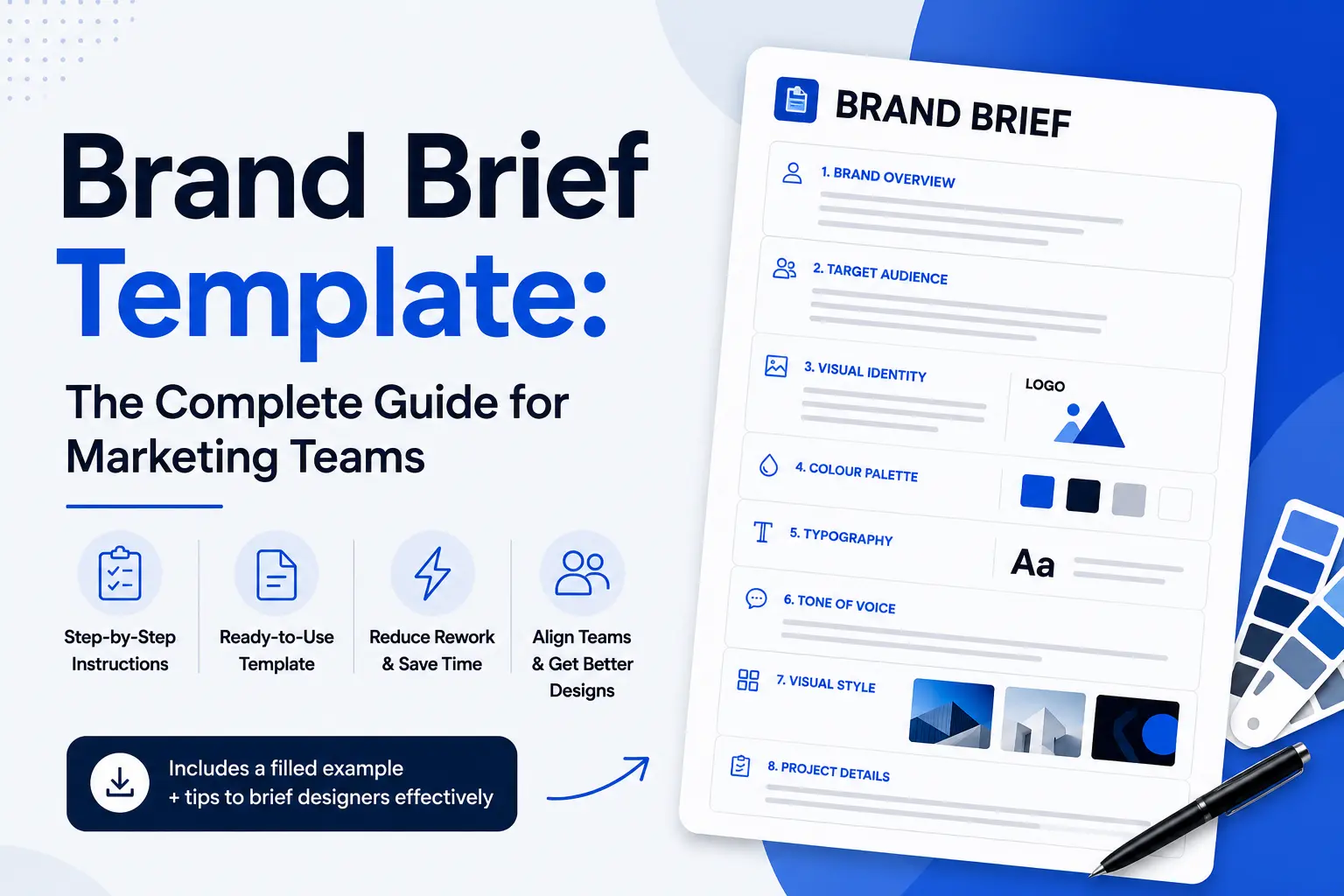
A brand brief template is a structured document that captures the visual identity, audience context, tone of voice, and design requirements a designer needs to produce on-brand work on the first draft without a back-and-forth briefing cycle.
It is not a mood board. It is not a list of adjectives. It is a complete operational reference that removes ambiguity from the design request before work begins.
Unlike generic template pages that give you blank fields, this post shows what each section looks like when filled in correctly, using a realistic example that makes the difference between a weak brief and a strong one visible side by side.
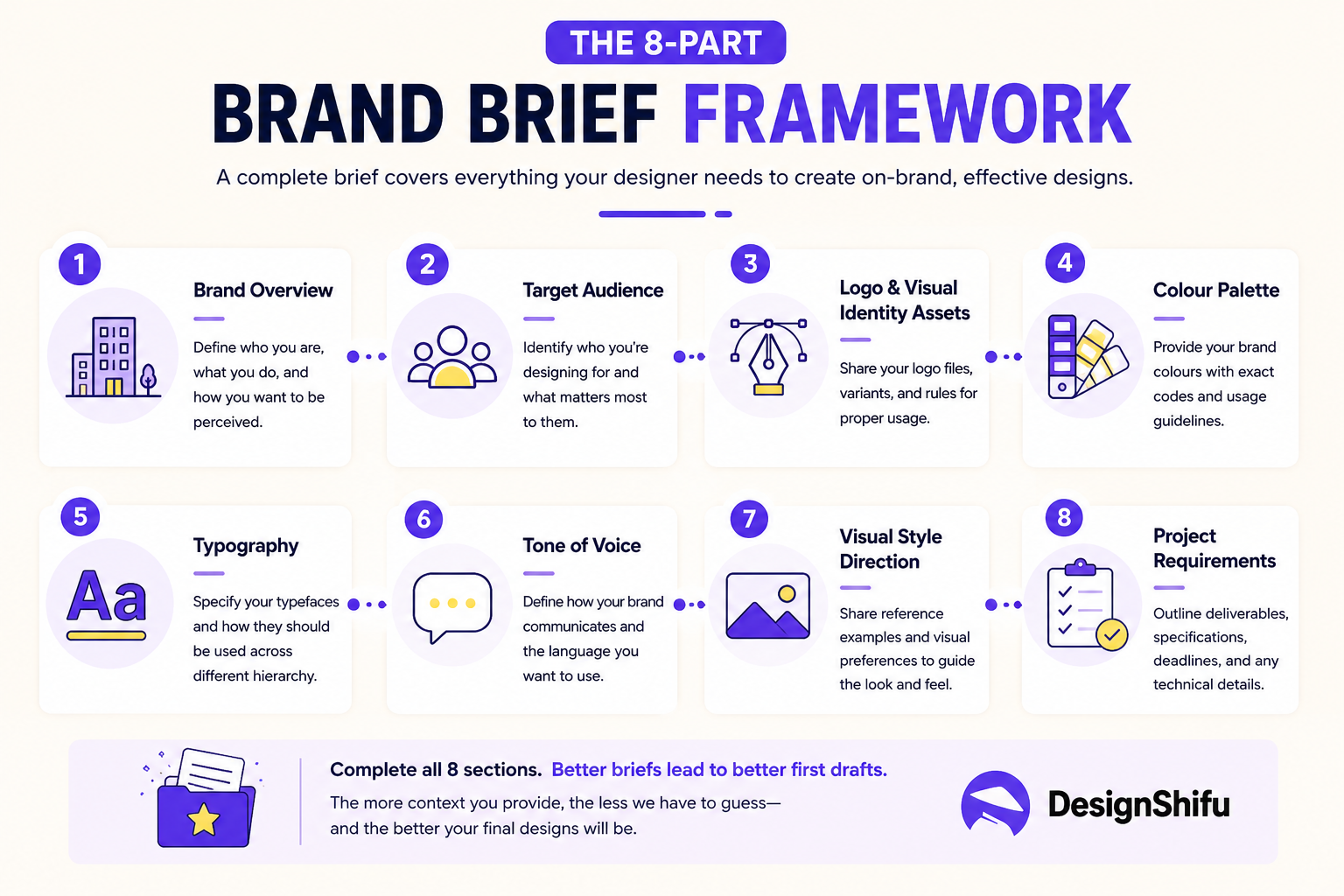
The eight sections below cover everything a designer needs from the moment they open the brief to the moment they deliver the final file.
What Should a Brand Brief Include?
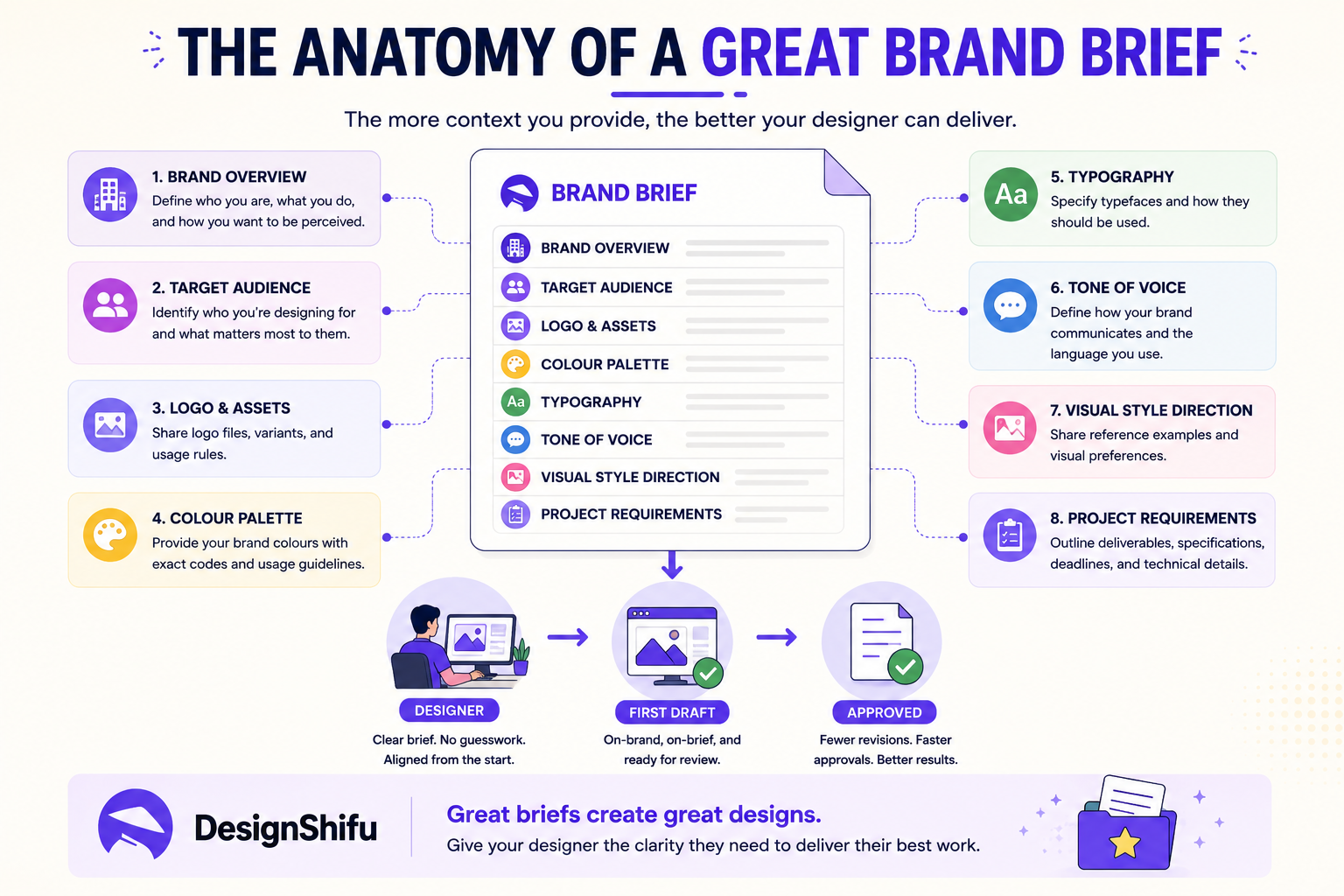
A complete brand brief template includes eight core sections:
- Brand overview and positioning statement
- Target audience definition
- Logo and visual identity assets
- Brand colour palette with hex, RGB, and CMYK values
- Typography system covering primary, secondary, and body typefaces
- Tone of voice and language rules
- Visual style direction with annotated reference examples
- Project-specific requirements and deliverable specifications
Each section removes a different category of assumption from the design process. Skipping any one of them shifts a decision back to the designer, which is where revision cycles originate.
The Design Shifu Brand Brief Template
Download the free brand brief template as a Google Doc.
Note to publishing team: Create the Google Doc using the eight sections below, set sharing to "Anyone with the link can view," and replace this placeholder with the live URL before publishing.
Use the template below for any design project.
Each field includes a brief instruction explaining what to include and why it matters to the designer receiving the brief. Complete all eight sections before submitting.
A blank field reads as missing information to a designer. If a section genuinely does not apply, write "not applicable to this project" rather than leaving it empty.
If your team plans to submit this brief to a professional design team, the Design Shifu pricing outlines available plans and turnaround commitments.
Section 1: Brand Overview
Brand name
The trading name appears on all assets. Confirm spelling, capitalisation, and any protected punctuation before submitting.
One-line brand description
State what the business does and who it serves in one sentence. Example: "A subscription accounting platform for UK-based freelancers." This single sentence anchors every visual decision the designer makes.
Brand positioning statement
How does the brand want to be perceived relative to its category? Example: "Professional but approachable. More rigorous than a freelancer, less corporate than a large firm." This is the most useful creative direction a brief can provide. If your positioning has shifted recently, note the direction of change here.
Stage of brand
Is this a new brand being built from scratch, an established brand with existing guidelines, or a brand in active transition? Each stage requires a different design approach. State which one applies.
Section 2: Target Audience
Primary audience
Describe the person the design is for. Include job title, company size, industry, and one specific pain point. Example: "Marketing managers at B2B SaaS companies with 20 to 200 employees who produce campaign assets without a full in-house design team." Generic audience descriptions produce generic design decisions.
Secondary audience (if applicable)
Limit to one additional group. Designing for everyone produces work that resonates with no one.
What does this audience trust visually?
Describe the visual language that signals credibility to this audience. Example: "Clean, minimal layouts. Data visualisation. No stock photography. Typography-led design." This is more useful to a designer than a list of brand adjectives.
Section 3: Logo and Visual Identity Assets
Primary logo file
Attached in SVG or EPS format. If only PNG is available, note the minimum size at which it can be used without quality loss.
Logo variants available
List each variant: horizontal, stacked, icon-only, reversed (white on dark background). Note which variant applies to this specific project.
Logo exclusion zone
State the minimum clear space required around the logo. If no guideline exists, state that and the designer will apply a standard.
Logo usage restrictions
Any colours, backgrounds, or placements where the logo must not appear.
Section 4: Colour Palette
Provide all values for every brand colour. The swatch column should display the actual colour so the designer can confirm accuracy at a glance.
Background colour rules
Which colours are approved for use as backgrounds? Which colour combinations must never appear together?
Colour ratios
If your brand follows a dominant, secondary, accent ratio (60/30/10 is common), state it here. If no ratio is defined, the designer will make this call independently.
Section 5: Typography System
Primary typeface
Name, weight, and licensed source. Example: "Inter Bold, licensed via Google Fonts." Confirm the designer has access or attach the font files directly to the brief.
Secondary typeface
Used for subheadings and supporting text. Same format as above.
Body typeface
Used for paragraph text and captions. If the same as the primary or secondary typeface, state that explicitly rather than leaving the field blank.
Type size hierarchy
If your brand uses a defined size scale, state it. Example: H1 at 48px, H2 at 32px, body at 16px. If no scale exists, state that.
Typography rules
Any restrictions. Example: "Never use all-caps in body text. Never kern the primary typeface below 0."
Section 6: Tone of Voice
Three words that describe the brand voice
These should describe how the brand communicates, not how it wants to feel. Example: "Direct, specific, unpretentious." Not: "Innovative, dynamic, customer-centric." The first set is actionable. The second is not.
One example of copy that sounds right
Paste a sentence or short paragraph that represents the brand voice accurately. This is the single most useful tone reference a designer can receive for any project that integrates copy and design.
One example of copy that sounds wrong
Show a sentence that sounds like a version of the brand you are moving away from, or a style that conflicts with your positioning. Negative examples are as useful as positive ones.
Words or phrases to avoid
Any terminology that must not appear in any produced asset. Include outdated product names and any language flagged by legal or compliance.
Section 7: Visual Style Direction
Three reference images that represent the visual direction
Attach images or paste links. Add one sentence per image explaining specifically what to take from it. Do not attach references without annotation. "I like the grid structure in this one" is useful. A link with no context is not.
Three reference images that represent what to avoid
Same format. If your brand is moving away from a previous visual direction, show it here explicitly.
Photography style (if applicable)
Real people or illustrations? Bright or muted tones? Staged or documentary? Any restrictions on model representation or image sourcing?
Illustration style (if applicable)
Flat, isometric, outline, hand-drawn, or photorealistic? Attach one reference image.
Section 8: Project-Specific Requirements
Deliverable list
Every asset required for this project with format, dimensions, and file type. Example: "1 x LinkedIn banner at 1584px by 396px, PNG and editable source file. 3 x Instagram feed posts at 1080px by 1080px, PNG."
Primary message
The single thing this asset must communicate. One sentence only. If you have more than one primary message, prioritise before submitting.
Supporting messages (maximum three)
Secondary points that support the primary message.
Mandatory inclusions
Any element that must appear: a specific URL, a campaign hashtag, a regulated disclaimer, a partner logo.
Mandatory exclusions
Any element that must not appear on this specific project even if it is normally part of the brand.
Deadline
The date and time final files are needed. If a publication date is driving the deadline, state it. Restate the deadline in your submission note as well. Deadlines buried inside a long document get missed.
Revision expectations
How many rounds of revision do you anticipate? Do you want a direction check before full execution begins? Stating this upfront prevents scope confusion on both sides.
A Filled Example: Strong Brief vs. Weak Brief
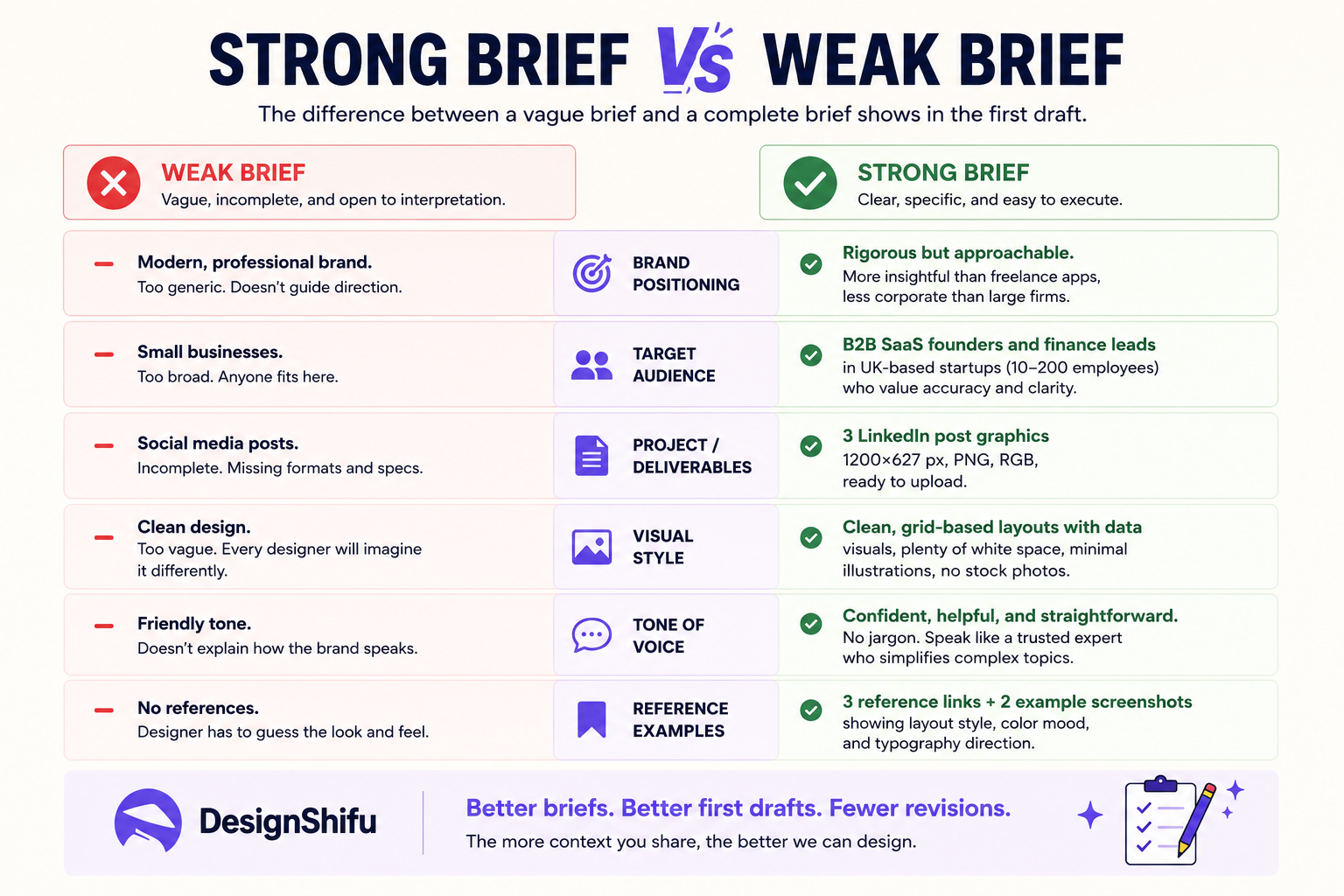
The difference between a brief that produces a first-draft approval and one that triggers three revision rounds is almost always in sections 2, 6, and 7.
The pattern Design Shifu sees consistently across subscriber onboarding is that teams who complete all eight sections, including annotated visual references in Section 7 and exact pixel dimensions in Section 8, report significantly fewer revision cycles than teams who submit partial briefs.
The strong version above does not require more creative thinking from the designer. It removes creative guesswork from the execution layer and concentrates it where it belongs: with the marketing lead who knows the campaign intent.
How to Submit This Brief to a Designer?
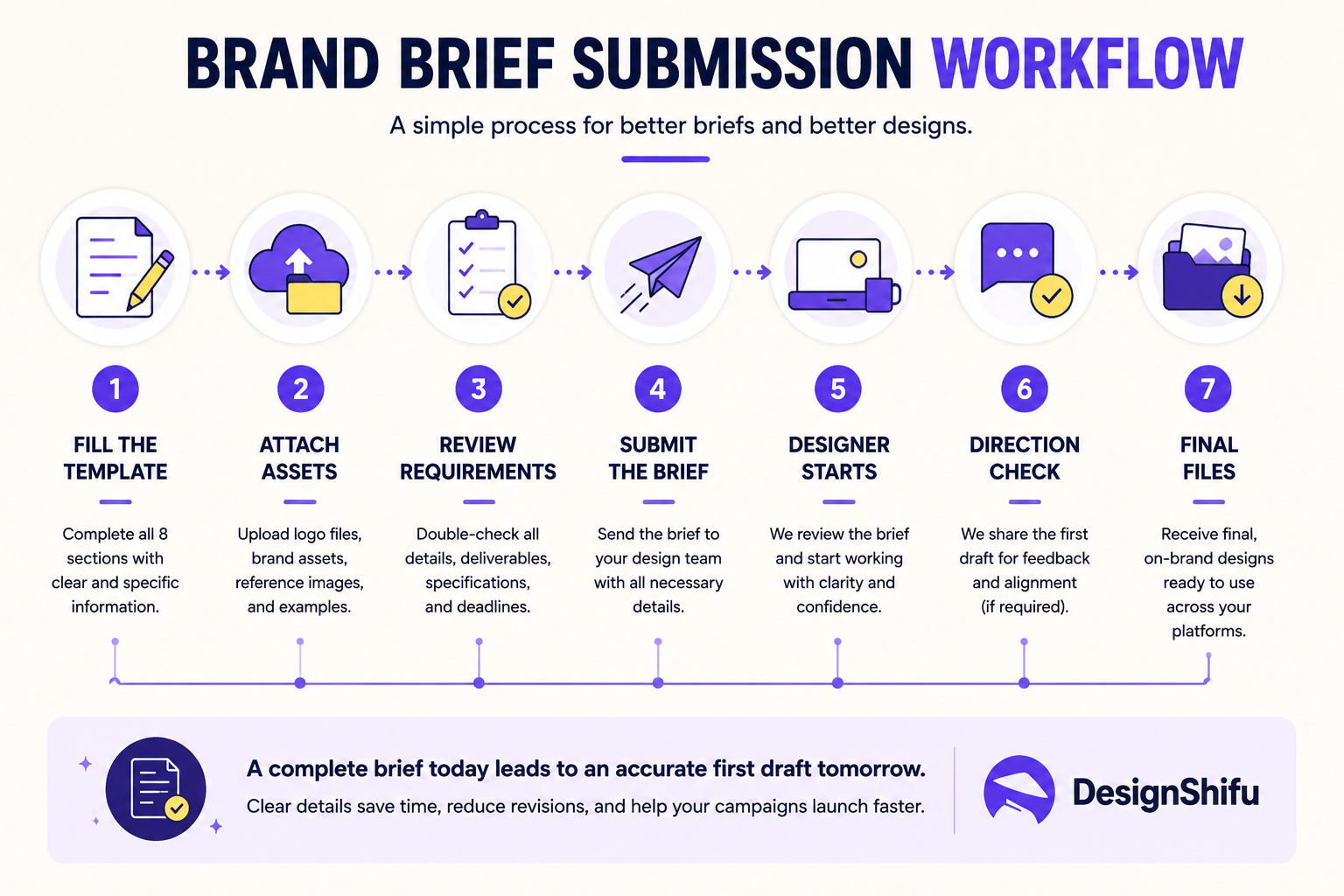
Follow this sequence for every brief submission
- Complete all eight sections before submitting. Partial briefs produce partial results. If a section does not apply, state that explicitly rather than leaving it blank.
- Attach all assets referenced in the brief. Logo files, font files, reference images, and existing campaign assets should accompany the brief at submission, not arrive in a follow-up message two hours later.
- State the primary message in one sentence in your submission note. Even with a complete brief, a one-sentence summary of what this asset must achieve helps the designer orient before reading the full document.
- Confirm the deadline in the submission note. Do not rely on the deadline buried inside the brief document.
- Specify whether you want a direction check before full execution. For complex or high-stakes projects, a direction check after the concept stage prevents a full execution going in the wrong direction.
What a submission note looks like in practice?
Hi Design Shifu team,
- Submitting the Q3 launch campaign brief for Flowdesk. All eight sections are complete. Logo files, font confirmation, and reference images are attached.
- Primary message in one sentence: Flowdesk now shows real-time project status without manual updates from the team.
- Deadline: July 9, 2026 at 10am EST. Non-negotiable due to email send on July 10.
- Direction check requested: Yes, please share the first LinkedIn post concept before proceeding to the full batch.
- All assets and dimensions are listed in Section 8. Let me know if anything in the brief needs clarification before you start.
If your team submits design requests through Design Shifu, this template maps directly to our brief intake format. Submitting a complete brief at the point of request is the most reliable way to receive an accurate first draft within our standard turnaround window.
Turnaround times vary by plan and request complexity. Current SLAs are listed on the Design Shifu pricing page.
For teams evaluating whether a graphic design subscription fits their workflow, brief quality is the single variable most correlated with turnaround speed and revision count. A subscription does not fix a vague brief. A complete brief makes any subscription perform at its ceiling.
Two Brief Mistakes That Still Cause Rework
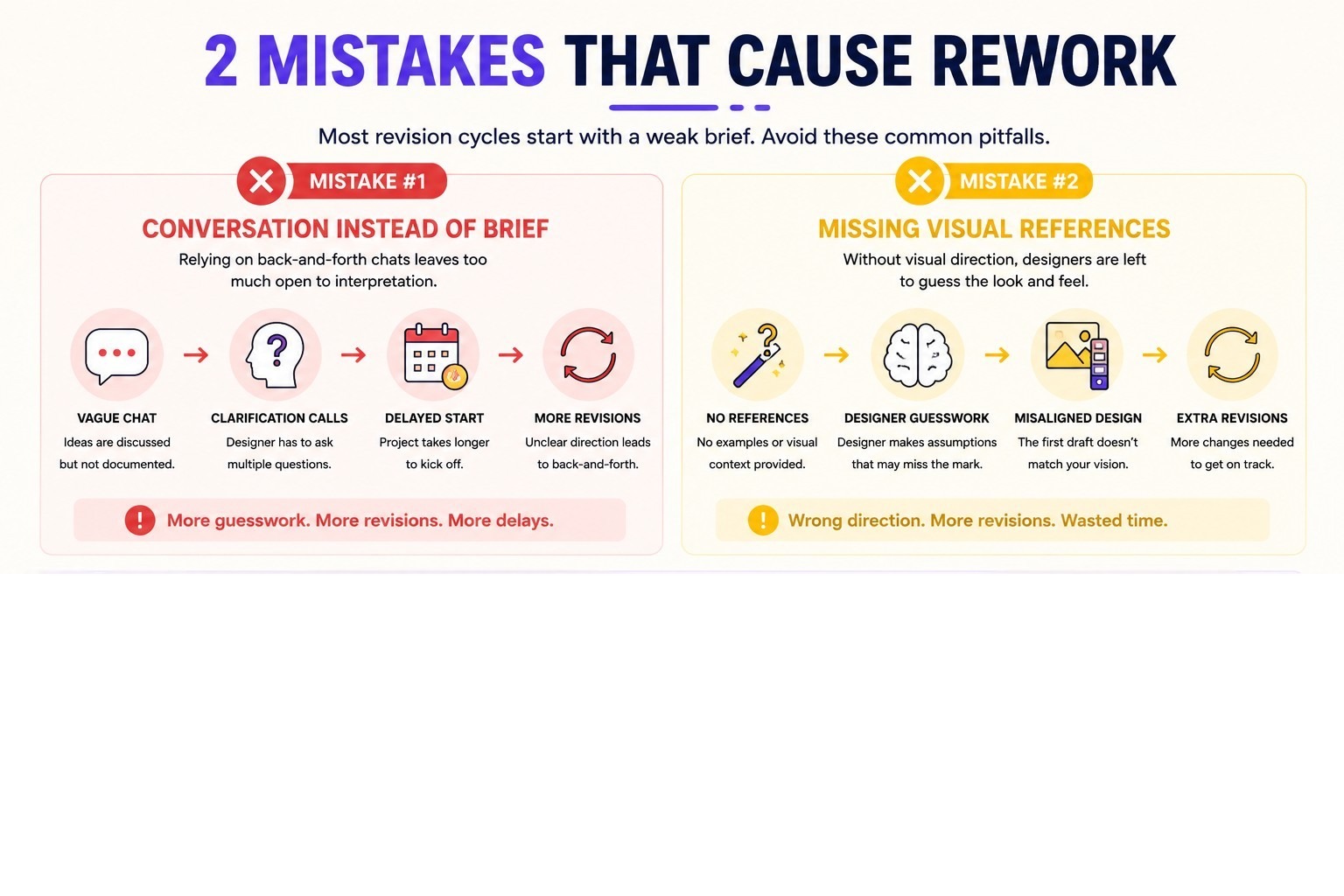
Submitting a brief as a conversation starter rather than a production document.
A brief that requires a discovery call before work can begin is not a brief. It is a prompt for a meeting. If a designer cannot open your brief and start working without verbal clarification, the brief is incomplete. Every clarification call adds at least one day to the delivery cycle.
Omitting negative visual direction.
Most briefs describe what the brand wants. Few describe what it wants to avoid. The designer cannot read the history of brand decisions that led to the current positioning. One example of what looks wrong is as useful as three examples of what looks right, particularly when a brand is in transition away from a previous visual style.
Conclusion
A complete brief is the highest-leverage investment a marketing team makes in its own design output. The time spent filling it in properly is recovered in the first revision cycle it prevents.
The template above is the same structure Design Shifu uses to intake design requests from subscribers across the US, UK, and Australia. Download it, complete it once for your brand, and use it as a standing reference for every project that follows. Book a call to see how Design Shifu works with your brief.
FAQ
What is a brand brief template?
A brand brief template is a structured document that captures the visual identity, audience context, tone of voice, and project-specific requirements a designer needs to produce on-brand work on the first draft without requiring clarification before starting. It is used at the point of every design request to eliminate assumption-driven revision cycles.
What is the difference between a brand brief and a creative brief?
A brand brief covers the full visual and verbal identity of the brand: logo, colours, typography, tone of voice, and audience positioning. It is a long-term reference document used across all projects.
A creative brief covers the specific requirements of a single project or campaign and is short-term and goal-specific. A complete design request combines both: the brand brief provides identity context and the creative brief provides project-specific direction.
The template in this post covers both in a single document.
What is the difference between a brand brief and a brand style guide?
A brand style guide is a standing visual reference document covering logo usage rules, colour codes, typography specifications, and imagery standards. It tells people how to use brand assets correctly.
A brand brief is submitted per project and includes both the visual identity context from the style guide and the strategic context for that specific deliverable: audience, message, deadline, and dimensions.
The brand brief is the project document. The style guide is the standing reference it draws from.
What should a brand brief include?
A complete brand brief includes a brand overview and positioning statement, target audience definition, logo and visual identity assets, colour palette with hex and CMYK values, typography system, tone of voice rules, visual style references with annotations, and project-specific deliverable specifications with dimensions and deadlines.
How long should a brand brief be?
Designers request a brand brief because the alternative is making assumptions. Every assumption is a potential revision request. A complete brief concentrates creative decision-making with the team that understands brand strategy and leaves the designer to focus on execution. This produces faster first drafts and fewer revision cycles.
Why do designers ask for a brand brief?
Designers request a brand brief because the alternative is making assumptions. Every assumption is a potential revision request. A complete brief concentrates creative decision-making with the team that understands brand strategy and leaves the designer to focus on execution. This produces faster first drafts and fewer revision cycles.
Can I use this brand brief template with a design subscription service?
Yes. This template is built to work with any design subscription service that operates on a brief-and-deliver model. For Design Shifu subscribers, submitting a complete brief in this format at the point of request is the most reliable way to receive an accurate first draft within the standard turnaround window.
What happens if I submit an incomplete brief?
An incomplete brief produces one of two outcomes: the designer makes assumptions and delivers work that requires revision, or the designer requests clarification before starting, which delays the first draft. Either outcome adds time to the delivery cycle. The sections most commonly left incomplete are Section 7 (visual references without annotations) and Section 8 (deliverable list without dimensions).
About the author

Sameena is an Organic Growth Specialist and Content Writer at Design Shifu, crafting SEO-driven content that boosts visibility, builds brand authority, and drives meaningful organic growth.