In this blog

Need a design partner that scales with you?
See exactly how Design Shifu can become your on-demand design team. Book a free demo call.
You have got to give your customers a taste of your restaurant and you can’t do it better than by making a stunning brochure that not only reflects the heart and soul of your business but also tempts the customers with its content.
Give it a professional feel or retain the funky USP of your food truck. We have plenty of tips and tricks up our sleeves to help you design your food product brochure. So, let’s get started.
Food brochure examples and ideas
The single-fold menu
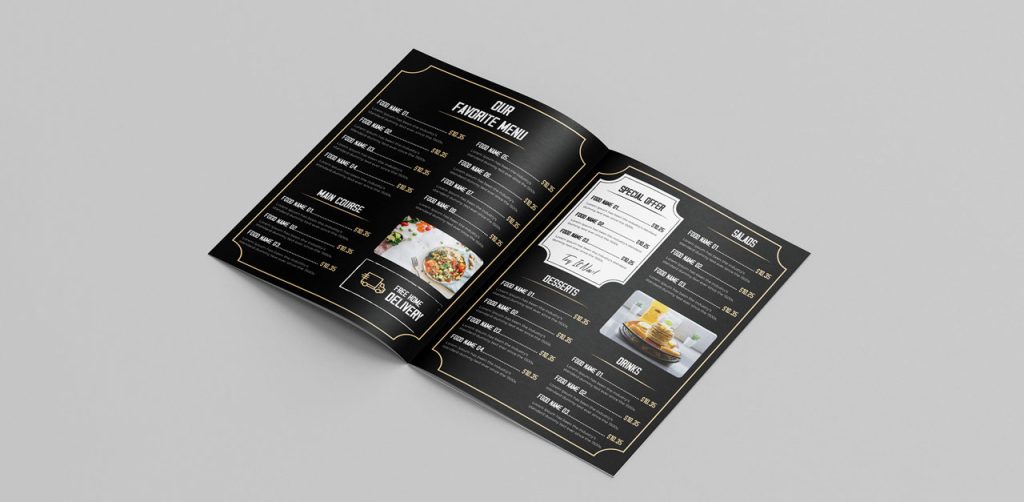
A single-fold menu is a great way to concise the content of your food product brochure. You can create fun borders inside, play with two or a single background color and highlight your specials inside the menu. Add images of the dishes category-wise or simply insert the best ones to evoke the sensory organs of your audience.
Booklet design food product brochure
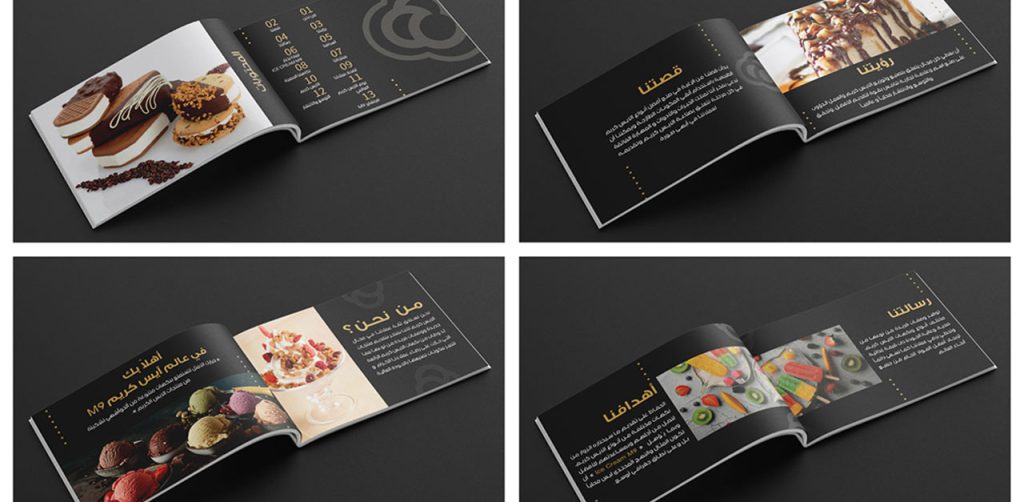
A booklet design gives you enough space and freedom to add content extensively. Although you must keep in mind not to add huge chunks of content, add professionally shot pictures and use a minimal font to describe each product artistically. If you own a bakery or bar, this style could be great to show your catalog to the receivers.
The tri-fold food product brochure
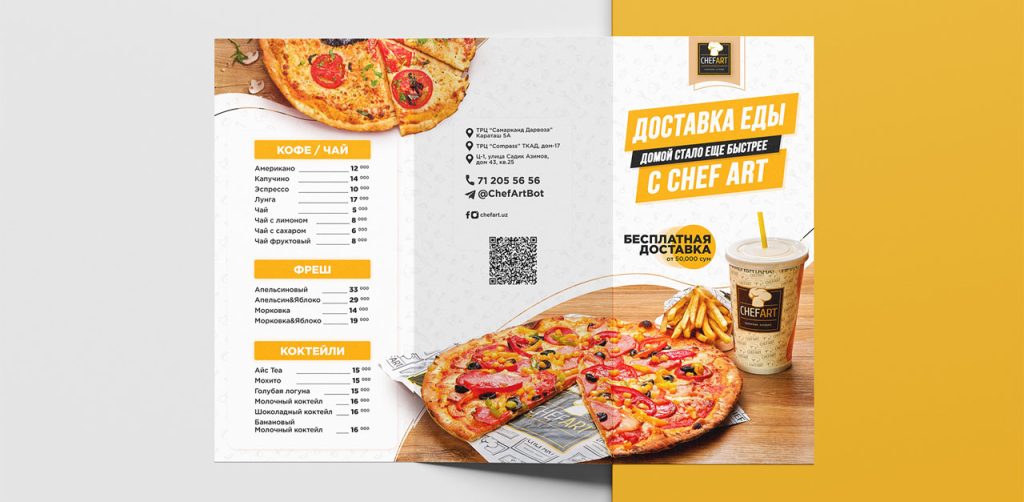
The tri-fold designs are the most common brochures in fast food joints and takeaway restaurants. It gives your customer a glance at the product you are selling and allows you to add pictures of popular savers and combos. Keep the front page enticing with bright colors, a logo, and a tagline.
Minimalist bar menu
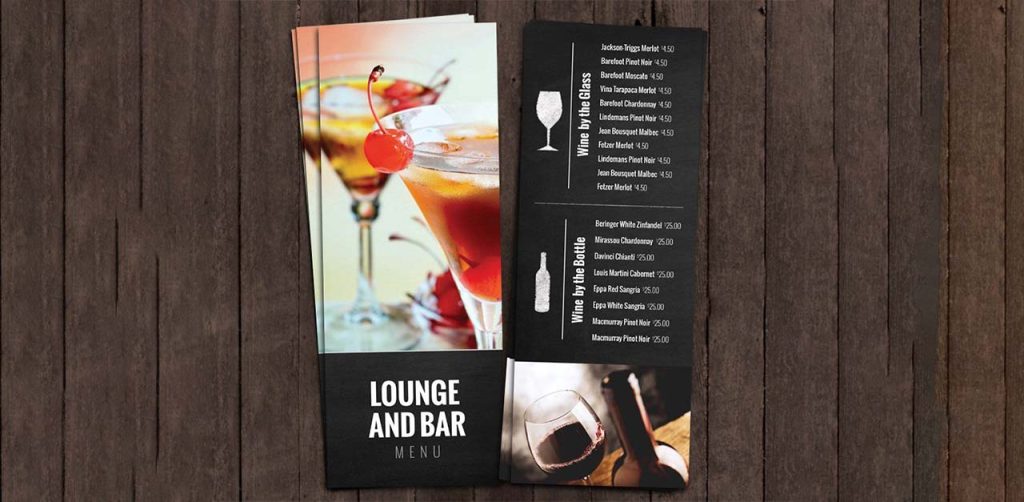
A clean, image-based, minimal font and subtle colors are the right choices for your bar menu. Add text hierarchy to direct the readers, and make judicious use of the space because your goal is to keep a lot of negative space in the design. You can use abstract imagery such as this design if it matches the brand tonality.
Single-page menu board
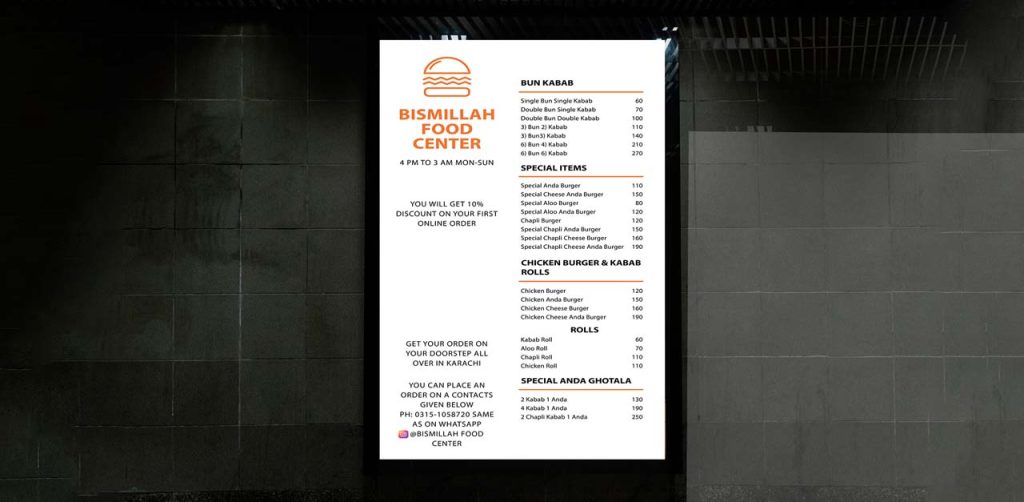
You can see menu boards in front of many food joints that cater to a single cuisine. If you are a food joint that sells limited food items, add essential details about the brand and food products. Make large easels with this menu board and place it at the front door to intrigue customers.
Menu on wheels
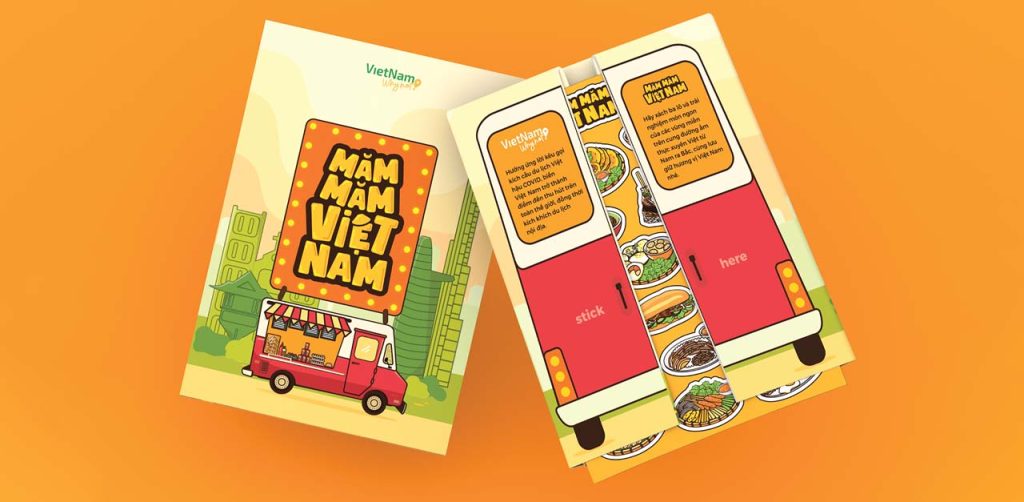
Take a look at this inspirational design for a food truck menu. Illustrations are a fun way to engage with a younger crowd. The food items on the menu are placed on the map as per their region of origin. Get creative with your designs.
“The sophisticated” food product brochure
If you own a Sushi place or a fancy restaurant, a clean, minimalist food product brochure with decorative font is just the thing you need. Align the layout and elements with the brand voice and personality. For instance, a restaurant with a vintage vibe can pick typography, colors, and visuals from vintage graphic design trends.
Do you want help designing a food product brochure for your business? Get a dedicated designer and unlimited graphic designs for just $549 per month from Design Shifu.
What should you include in food brochures?
A food product brochure can have a lot of details, but there are a few you must include:
- Keep it consistent.
Your brochure should contain the brand logo, colors, and name because these are a part of your promotional tool. All the pages of the brochure must have your restaurant branding to establish identity.
- Elements and photos
Add elements that are relevant to your brand. You can add your best-clicked photos, which can be a dish/chef/outlet etc. Make sure you use high-resolution photos to attract customers.
- Highlight your USP.
The USP of any restaurant is the cuisine they serve and the environment they offer. Highlight what you specialize in. Describe the important elements of your outlet - the dough used in our pies comes straight from Italy.
- Keep your services clear.
Let your customers know what services you offer — whether you do delivery, take-out, dine-in, or all three.
- Mention business information.
Include contact information, address, social media handles, or any other important information on the menu to guide them to the next step.
How can you design a food product brochure?
- Open any design tool that is available to you, like Canva, Adobe, PicsArt, etc.
- Design your layout or Browse and choose a template from their search interface.
- Although we do not recommend templates, you can search for product brochure examples for inspiration and guidance.
- Explore the various features that are available on the design tool. See what is available at your disposal and work accordingly.
- Add text and elements to your design to make it attractive and informative.
- Personalize it according to the brand. Add your brand colors, logos, and other important information that establishes the brand identity and makes people aware of your presence.
- Download the desired file type/format and share it on any platform. Or, get it printed and distributed to visitors and potential customers.
Make your food product brochure today!
Using brochures as a medium to engage with the customer is a technique used by businesses for centuries to give customers a visual feel of your food and beverage company. A stunning food product brochure is a great way to market your brand. But, designing a professional brochure does not need to be complicated.
In fact, at Design Shifu, we have made the process simple with our unlimited graphic design services. Subscribing to us will give you unlimited access to the world’s most talented and professional design team. Let's get started here.
FAQ
About the author

Sameena is an Organic Growth Specialist and Content Writer at Design Shifu, crafting SEO-driven content that boosts visibility, builds brand authority, and drives meaningful organic growth.